Get the Full App Experience
Install Superfast Quiz directly to your home screen for instant access, faster loading, and a full-screen native experience.
1
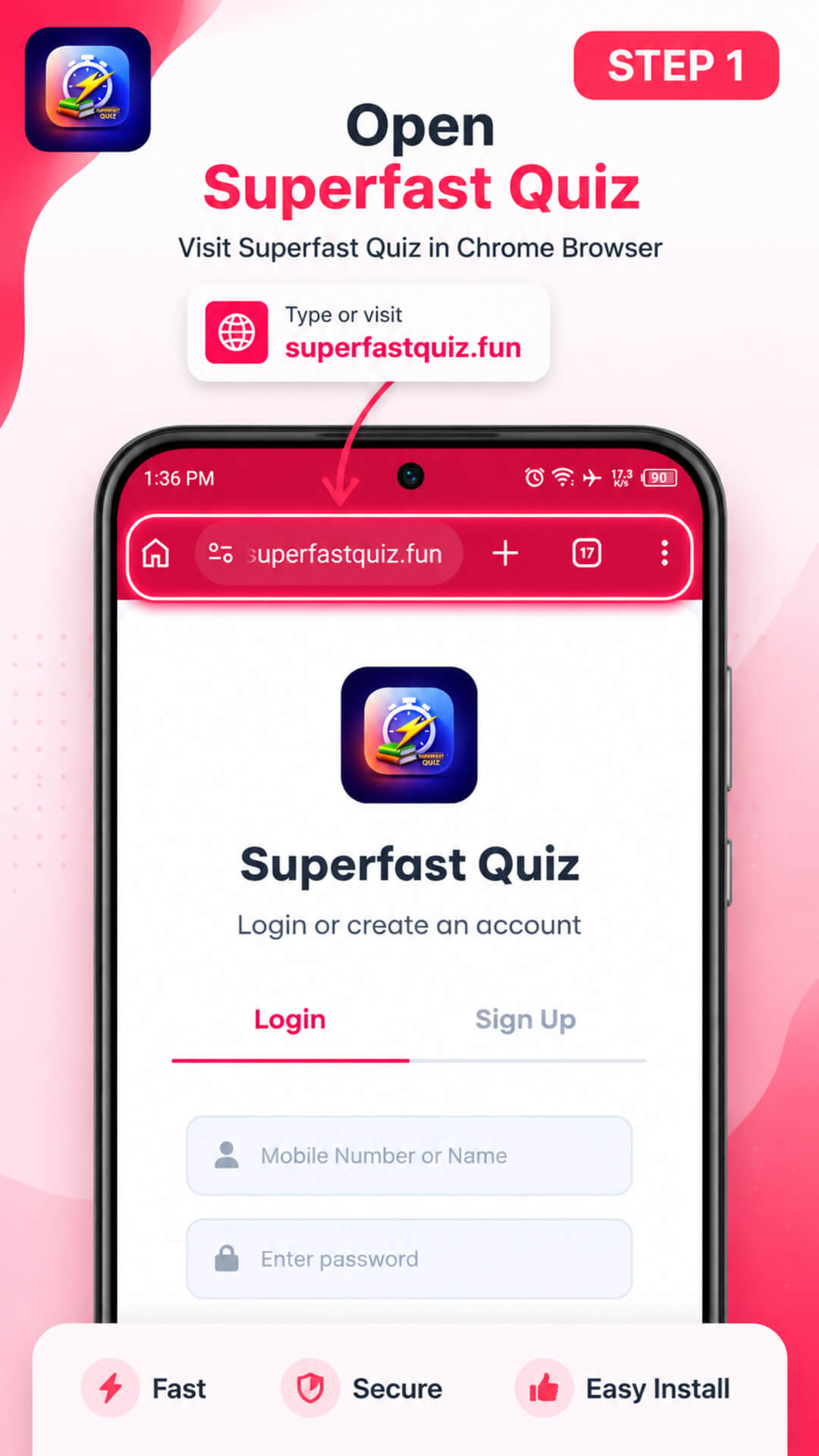
Visit Superfast Quiz
While enjoying on the site.
2
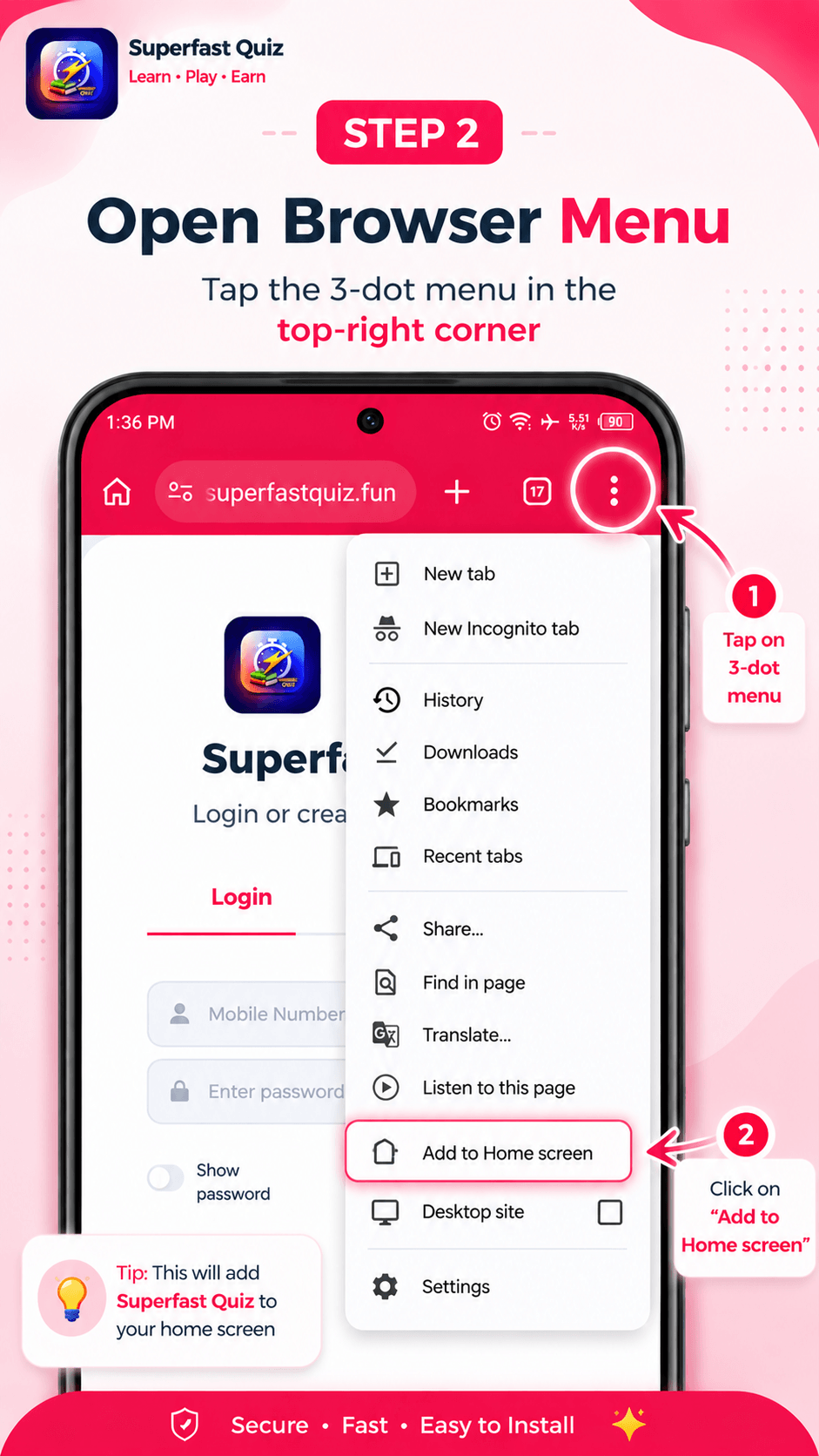
Select "Open the Browser Menu"
Tap the three vertical dots in the top right corner of your browser screen. Scroll down the menu list and tap the option that says Add to Home screen or Install app.
3
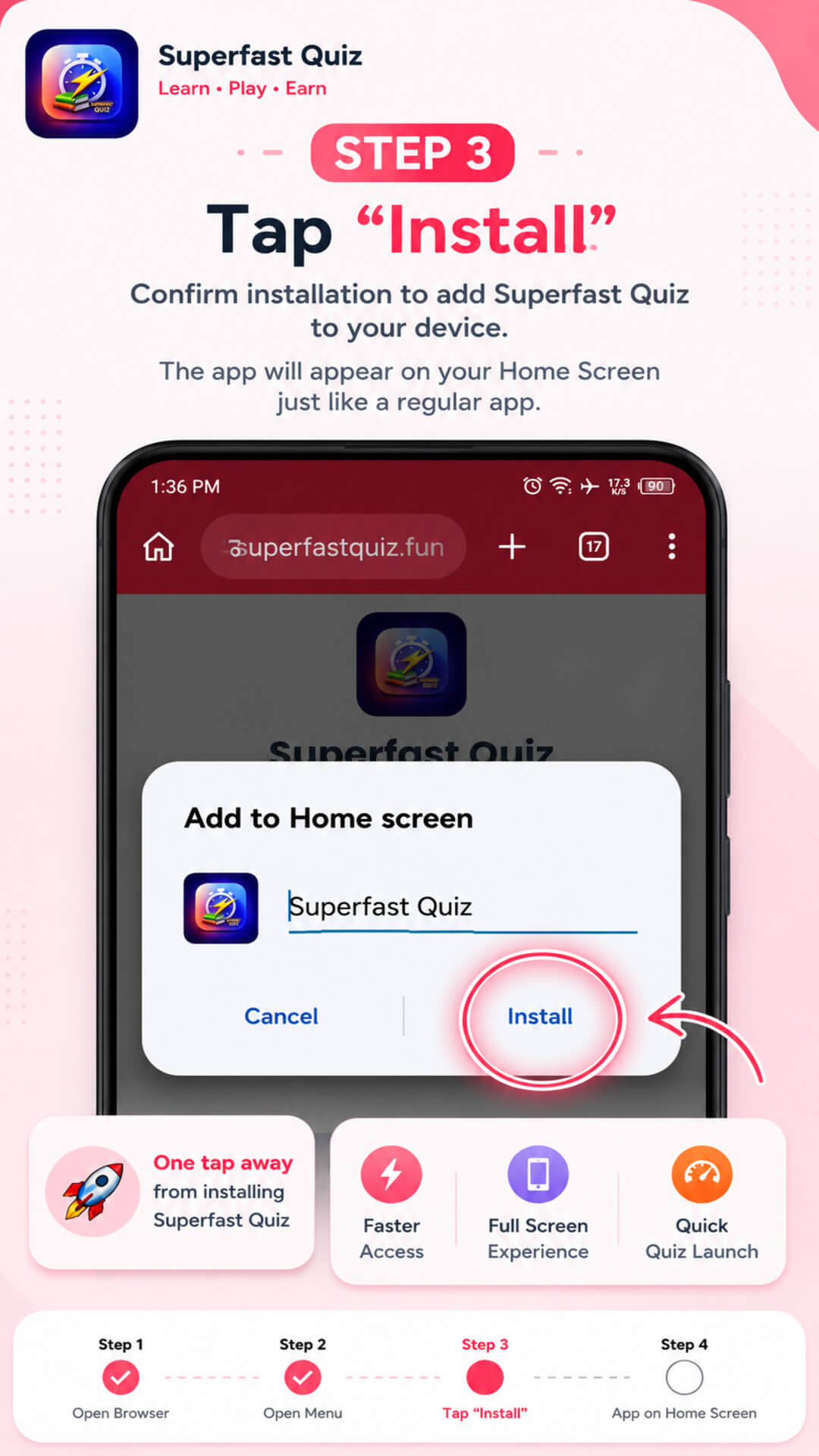
Confirm Installation
A prompt will appear confirming the app name. Tap Install or Add to complete the process.